A Cloudflare Email Routing support address is the cheapest way to get support@yourdomain.com into a mailbox you already read. It costs $0, needs no mail server, and takes about 10 minutes. I set one up for my own domain earlier this month, and that address now gets both my metrics alerts and my support mail.
That second part is where this note ends up. Setup first, then the three limits.
What Cloudflare Email Routing does and does not do
Email Routing takes over your domain's MX records and forwards inbound mail to an address you've verified. It stores nothing.
Sending is a separate product, Email Sending, under the same Email Service umbrella. On its own, Routing is a free forwarder that lives in your DNS.
How do you set up a support address on Email Routing?
Enable Email Routing on the zone, verify one destination mailbox, and add one rule for support. Cloudflare writes three MX records and one SPF TXT record for you. The destination gets a verification link, and nothing forwards until someone clicks it. It's three dashboard screens and one dig to confirm.
Step 1: enable it
Dashboard, Compute, Email Service, Email Routing, Onboard Domain, then pick your zone. If the zone already has MX records pointing somewhere else, Cloudflare flags the conflict and offers to replace them. There's no "run both" mode.
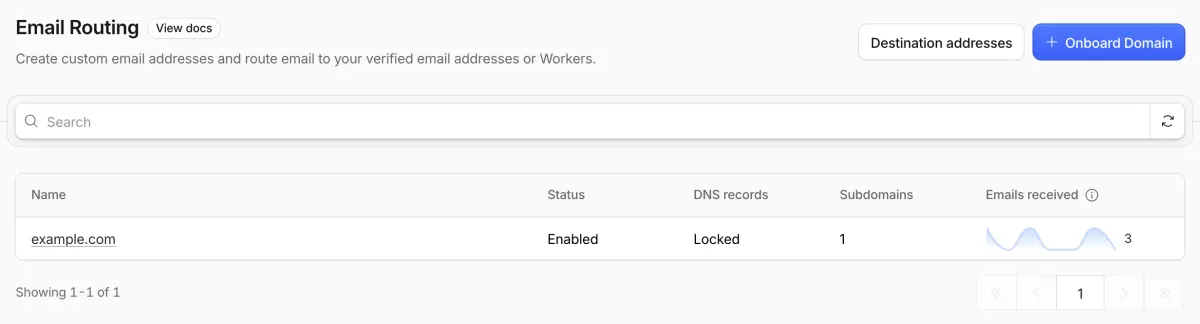
Once it's on, the row reads Enabled and Locked. Locked means Cloudflare manages those MX records and won't let you edit them by hand.
dig +short MX yourdomain.com
# route1.mx.cloudflare.net.
# route2.mx.cloudflare.net.
# route3.mx.cloudflare.net.
Step 2: add a destination
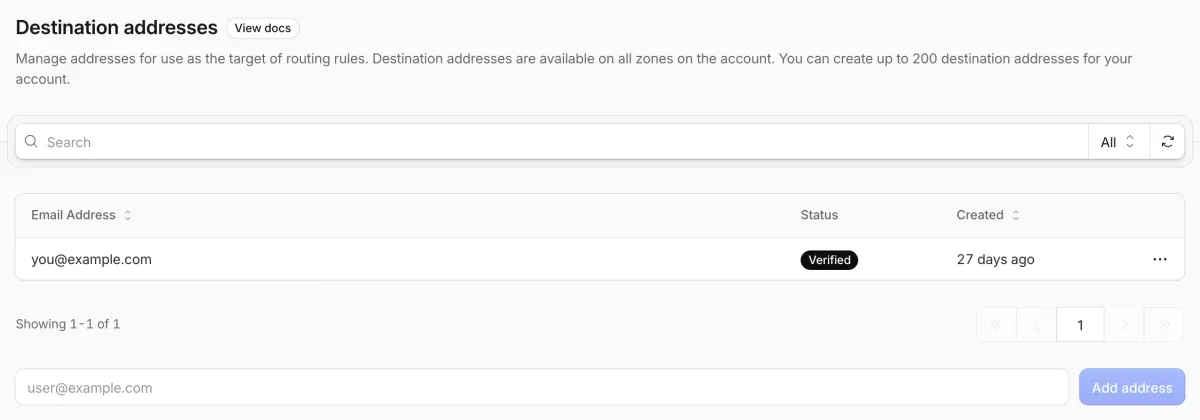
Click Destination addresses on the same page and add the personal mailbox you already read. Cloudflare emails it a verification link. Until that's clicked, rules pointing at the address do nothing. Destinations belong to the account, so one verified mailbox works for every zone you onboard.
Step 3: create the rule
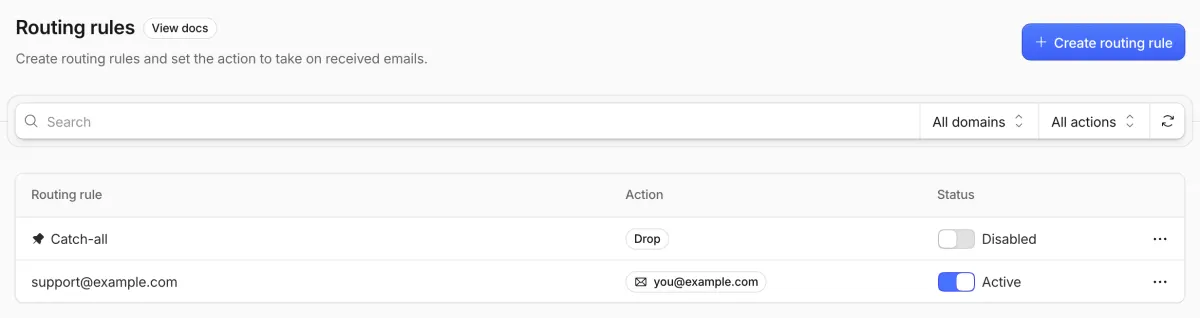
Open your domain, then Routing rules, Create routing rule: email pattern support, action Send to an email, and pick the destination. You can also turn on Catch-all so anything@yourdomain.com lands somewhere instead of bouncing.
# from any other account
echo "ping" | mail -s "routing test" support@yourdomain.com
Ten minutes. Most tutorials stop here, and so did I at first.
3 things Email Routing can't do
It can't store mail
There's no mailbox. If the destination files a message as spam, Cloudflare doesn't have a copy. The dashboard keeps an Activity log of recent messages and a daily forwarded / dropped count. That's it, unless the rule targets a Worker (next section).
It can't be shared
A rule maps one address to one destination. To copy two people you already need a Worker calling forward() twice. Then each person has a copy and no idea whether the other one replied.
So the personal-inbox setup breaks the day a second person needs to see support mail.
It can't reply as support@ later
Hit reply in your mailbox and the answer goes out from your personal address. An Email Worker can call message.reply(), but only once, inside the same SMTP session, and only to the original sender. If a person answers an hour later, you need Email Sending or another provider.
Where an Email Worker gets you
A routing rule can target a Worker instead of "Send to an email". The Worker gets the raw message as a stream and can store it, forward a copy, or reject it:
export default {
  async email(message, env, ctx) {
    const raw = await new Response(message.raw).text();
    await env.DB.prepare("INSERT INTO mail (from_addr, to_addr, raw) VALUES (?,?,?)")
      .bind(message.from, message.to, raw)
      .run();
    await message.forward("you@personal.example");   // destination must be verified
  },
};
That's the whole trick behind an inbox: the Worker is the inbox. It handles messages up to 25 MiB per the Email Routing limits, on the free plan, with no extra bindings.
The 30-line version with a D1 schema, plus three self-hosted inboxes built on it, is in Cloudflare Email Worker inbox: store every message in D1. If you're weighing this against a paid mailbox, see Cloudflare Email Routing vs Google Workspace vs Zoho.